Maxspect Jump LJ-260 : Full Review
Maxspect offer a whole range of products called « Jump” which have the main features they need but not too much to stay at fair price. We find “Jump” return pumps, wavemakers, skimmer and also LED lights. Here are the review of the Maxspect Jump LJ260. You can also find the review of the bigger Jump LED, the LJ290 with this link.
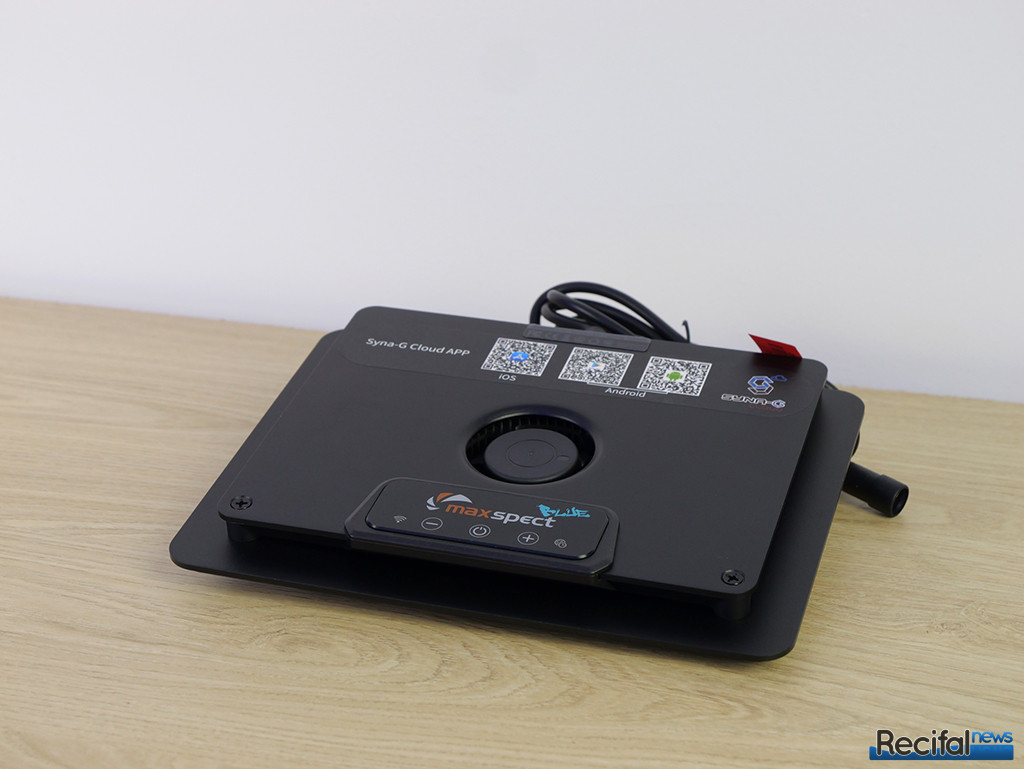
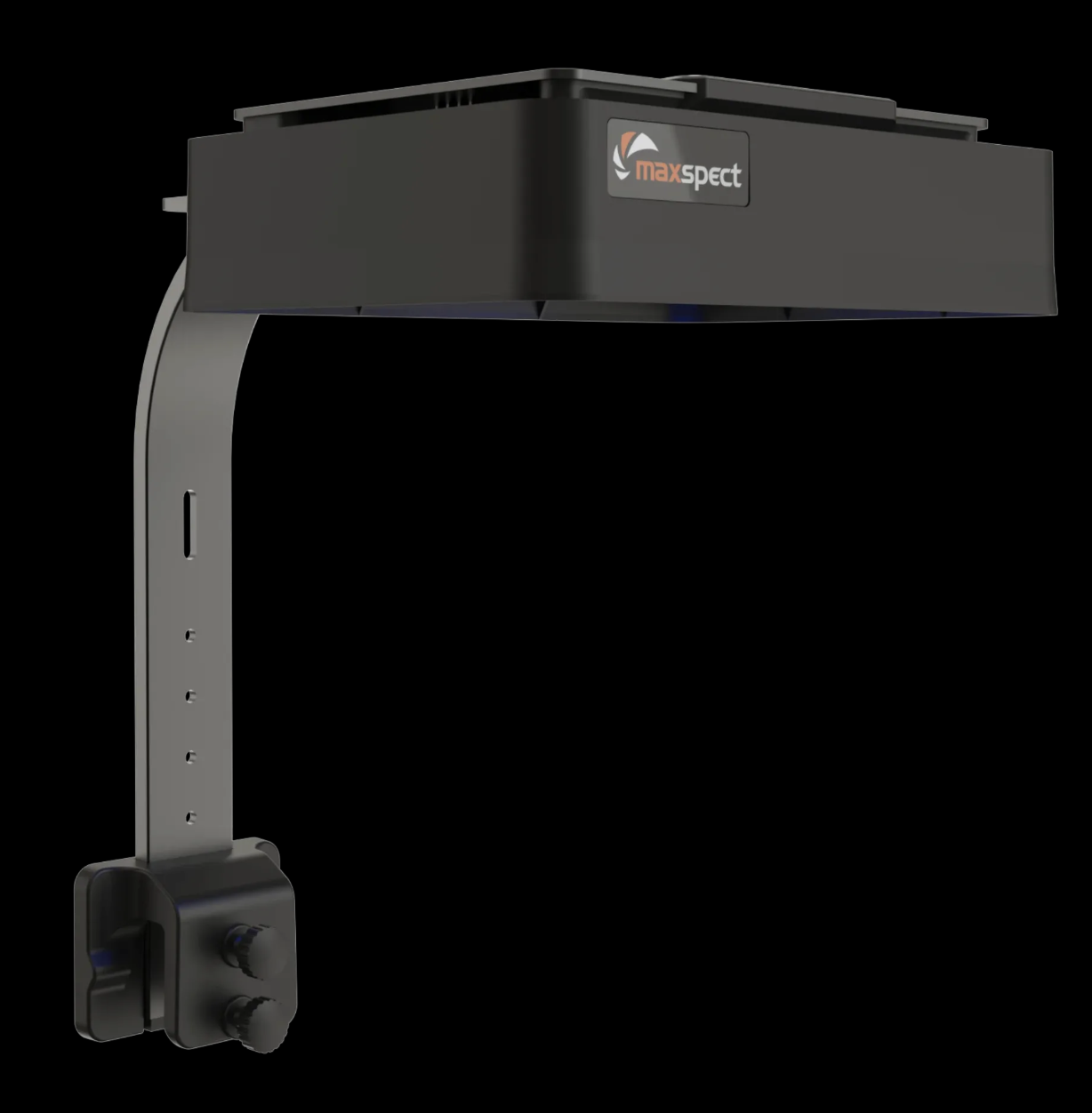
The Maxspect Jump MJ-LJ260 is a rectangular LED fixture of 222 x 176 x 32 mm. It has a sleek design. A central vent allows cooling fan air intake. In front of it, a kind of sensitive screen has 3 buttons ( “+”, “-“ and “power”) and 2 light indicators about connectivity state.
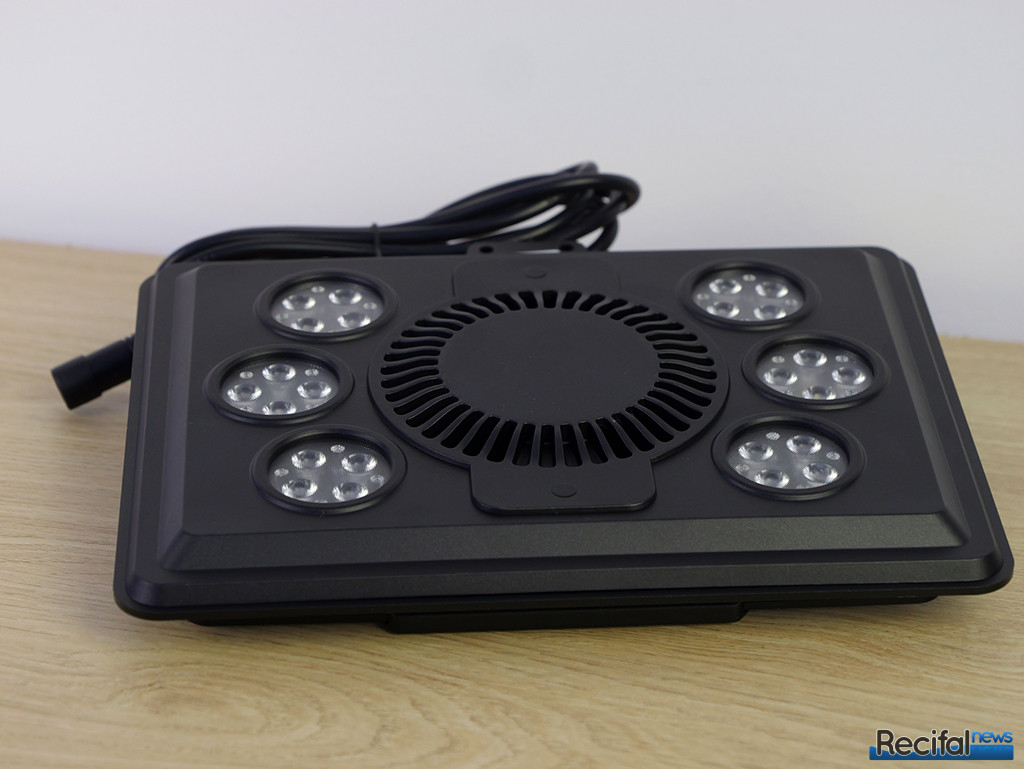
On the electonical components side, we see that LEDs are displayed in circular clusters, 3 of each sides of the heatsink vent.
Mounting solutions
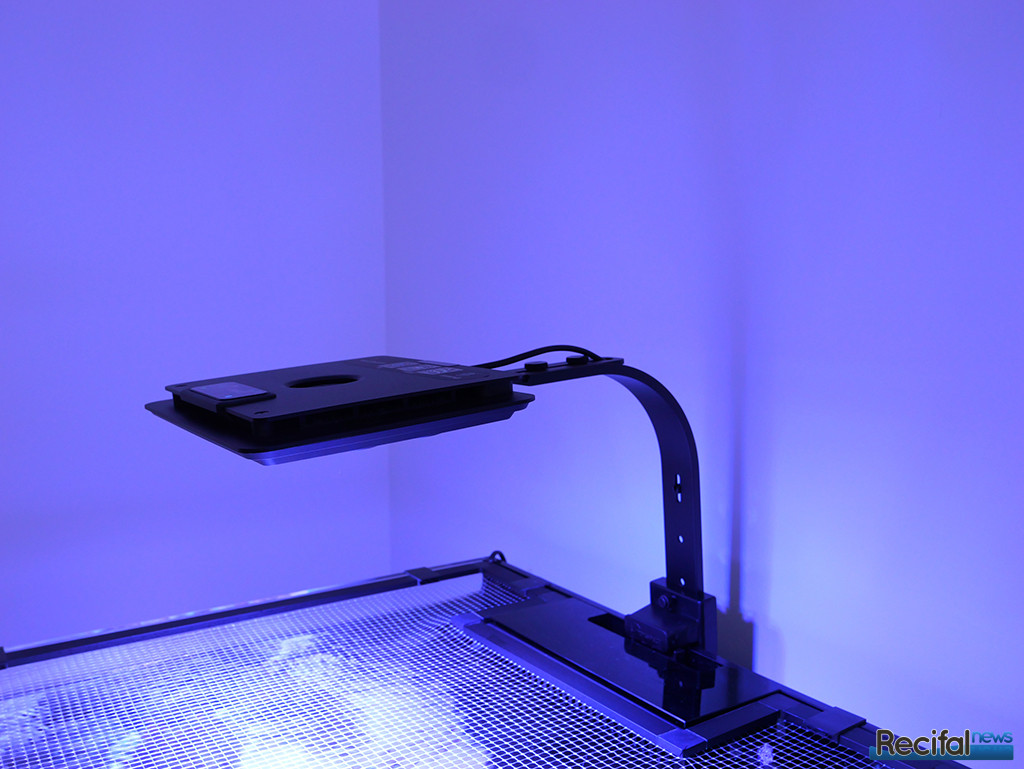
A mounting arm is included when you buy the MJ-LJ260. It consists in 3 parts to assemble thanks to included screws. It is possible to adjust the front/rear position of the light from 32,5 to 39,5 cm (front of the fixture). The light is 16 cm above the glass it is attached to.
Optics
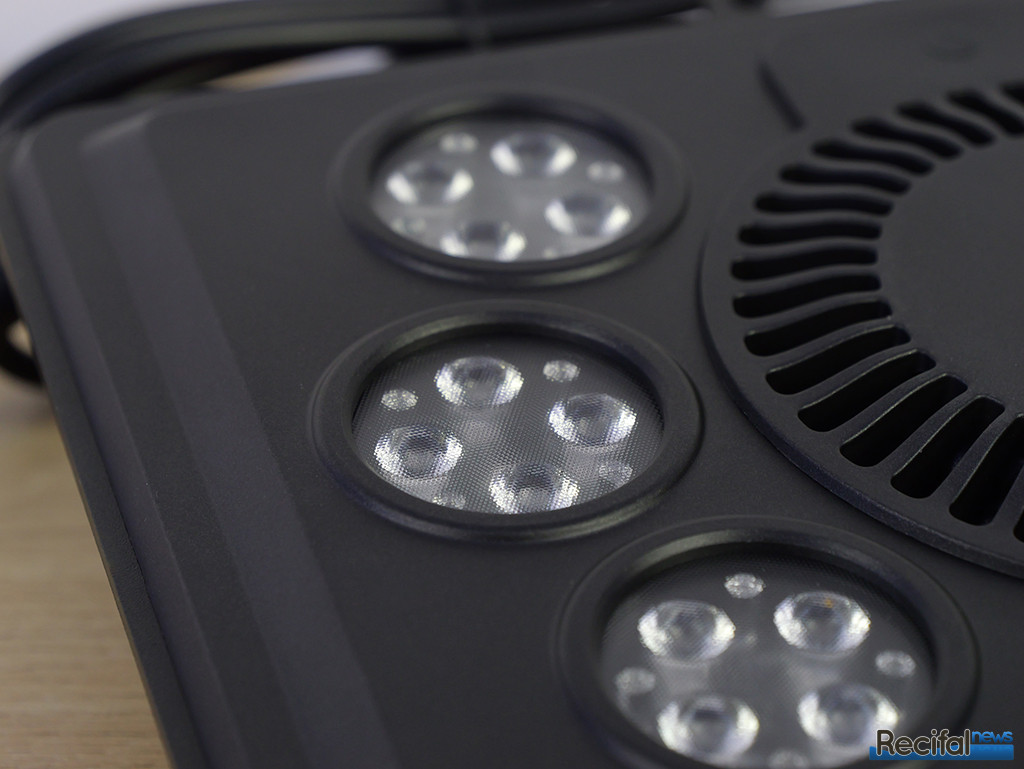
LEDS are displayed in clusters of 4. Each cluster has a secondary optic to diffuse wider and better color mixing. White, green and red diodes are in facts grouped in tricolor cells.
Accessories
For better visual comfort for hobbyists, a diffuser hood is sold separately. It avoids direct light to the eyes when you look at the tank and concentrates the light into it.
LED composition
MJ-LJ260 has 36 LEDs for a 63W total power output. They are divided in 6 channels
- Channel 1 : 2 UV (390/400nm) + 2 violet (410-420 nm) + 2 deep blue (435-440 nm)
- Channel 2 : 6 royal blue (445-455 nm)
- Channel 3 : 6 light blue (465-470 nm)
- Channel 4 : 6 green (520-525 nm)
- Channel 5 : 6 warm white (2800 – 3000 K)
- Channel 6 : 6 red (660-665 nm)
Here are the measured emission spectrum of each channel. We added the absorption spectrum of major corals pigments. (Click on the graphs to enlarge)


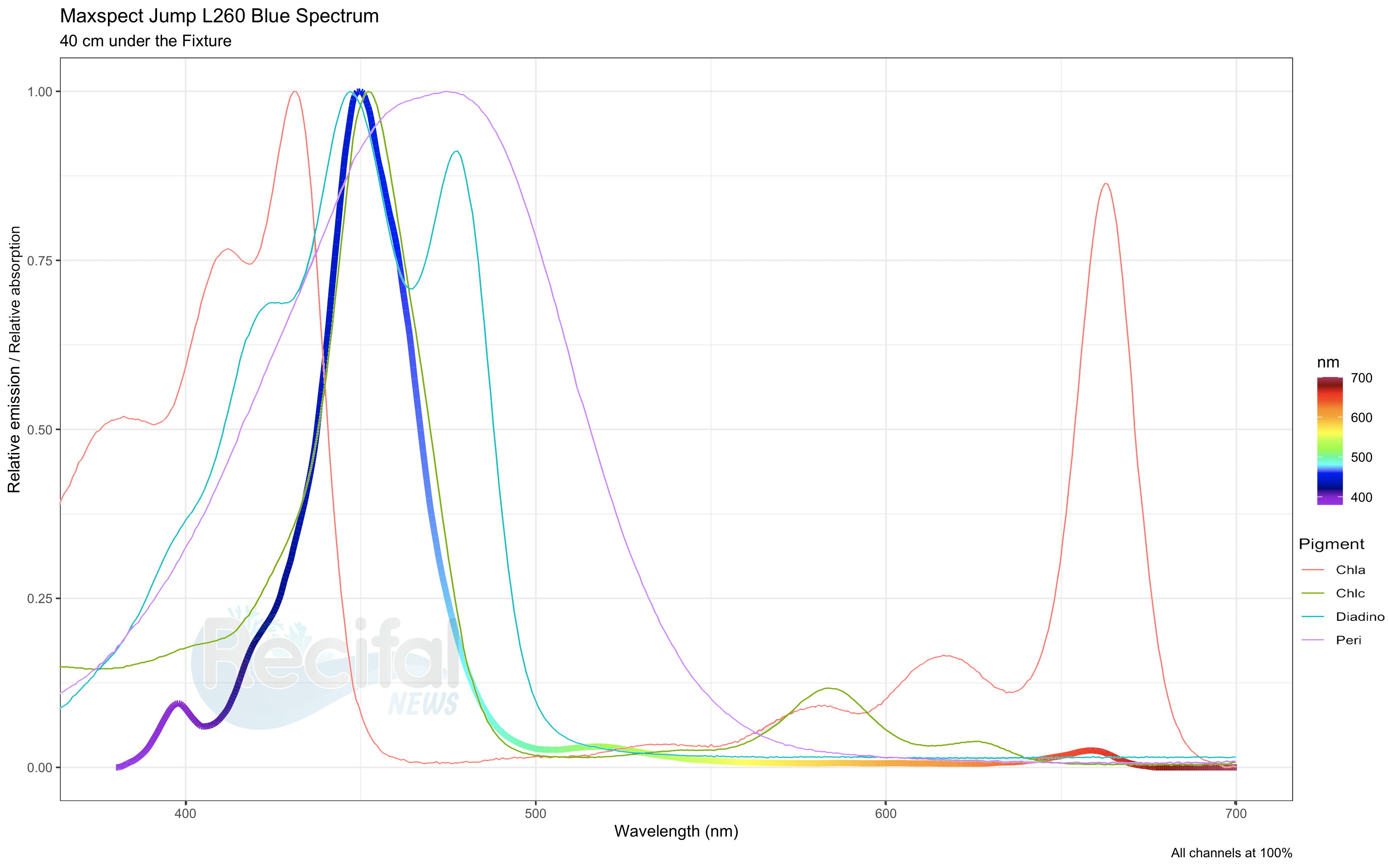
Here is the emission spectrum of the MJ-LJ260 at full power, also with pigments absorption spectrum :
And the spectrum of a setup we enjoyed on a mixed reef tank with several Zoanthus species, LPS (Micromussa, Euphyllia, Mycedium, Homophyllia, Goniopora) and SPS (Acropora, Montipora, Pocillopora).
Warning : The given percentage are the maximal values to get the visual rendering we enjoy, but the power needs to be adjusted according to the size of your tank and other parameters (coral light acclimation, nutrients, KH, Ca…)
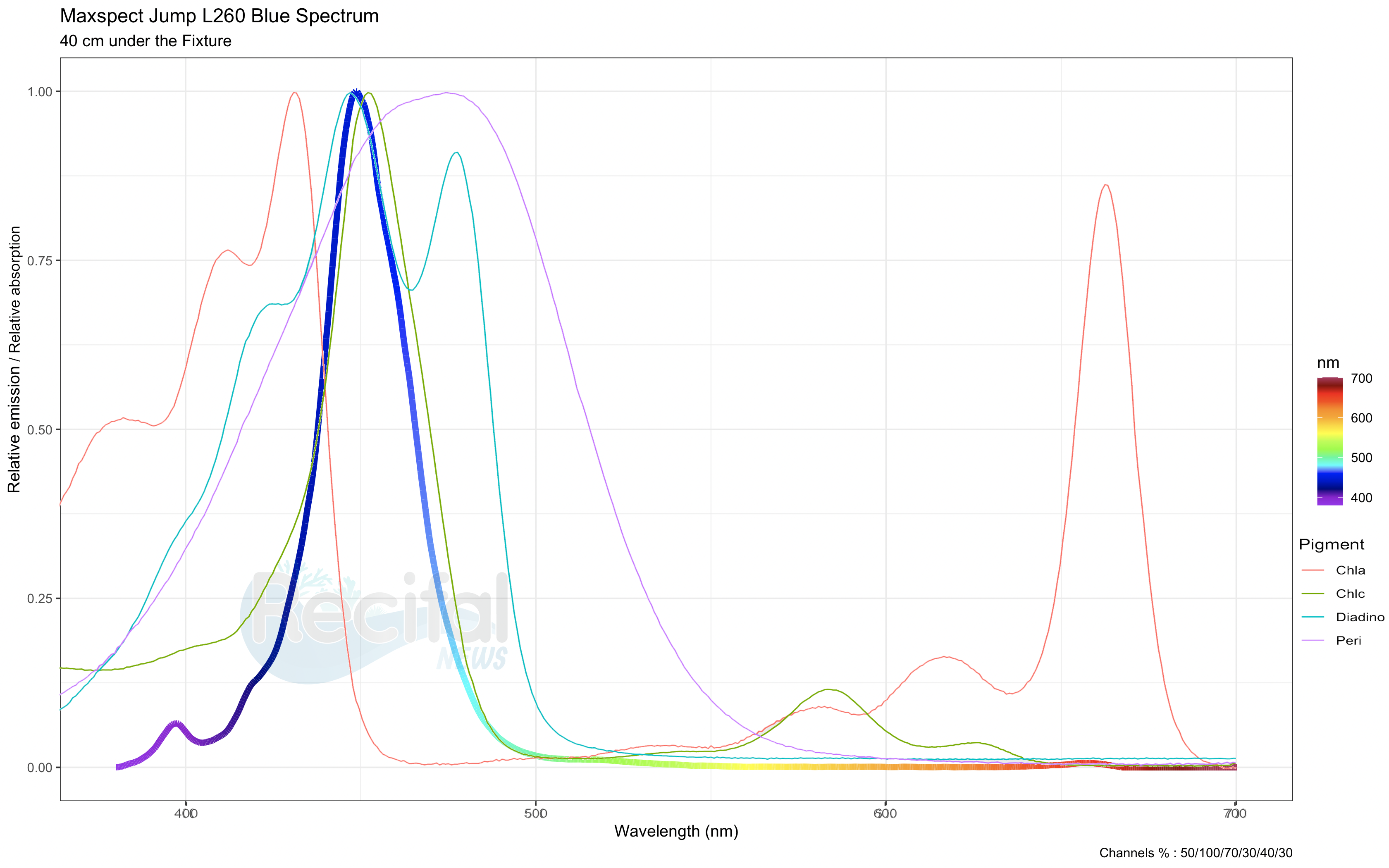
We observe a good correspondence between LED emission and pigments absorption.
PAR / PPFD
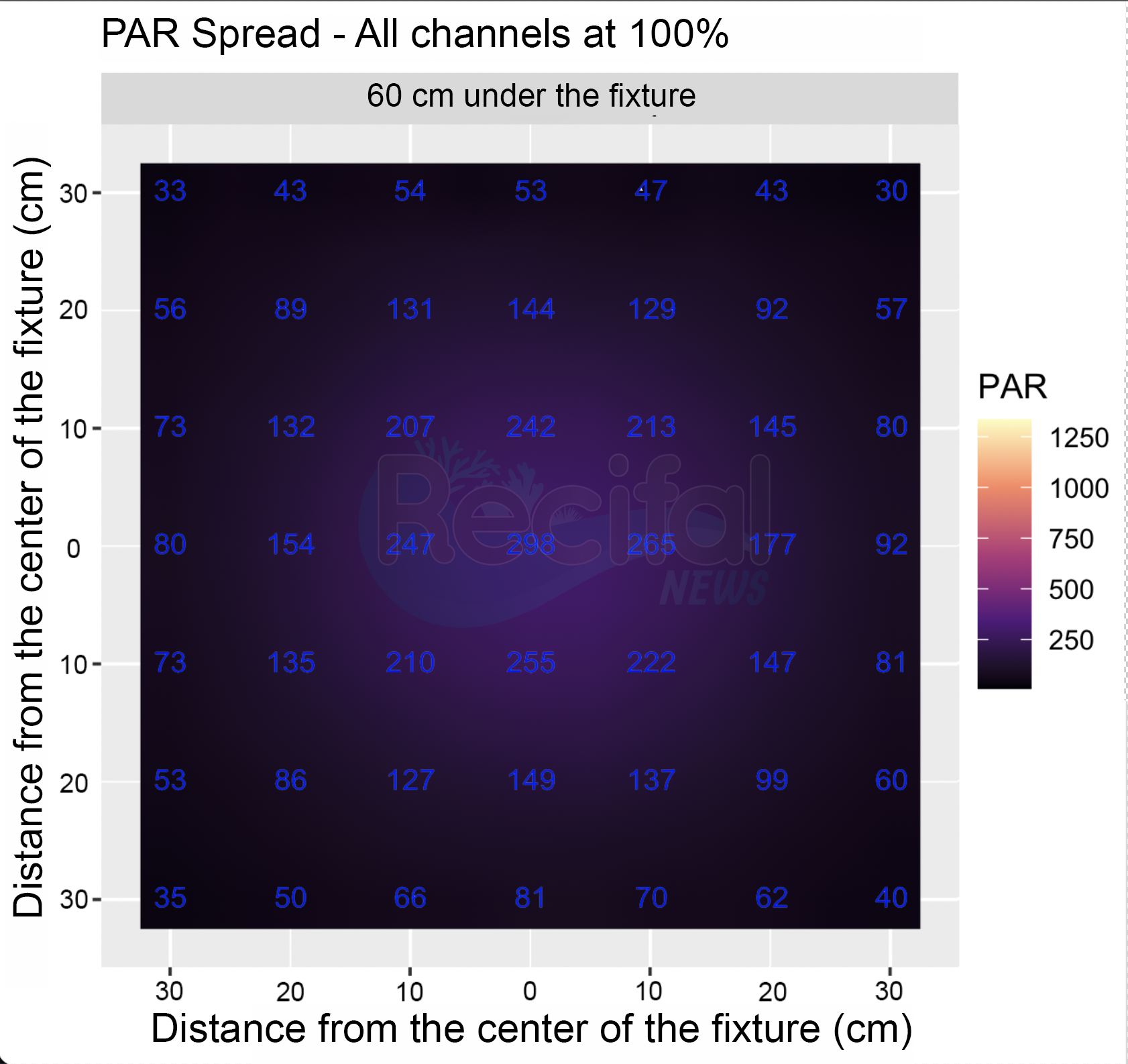
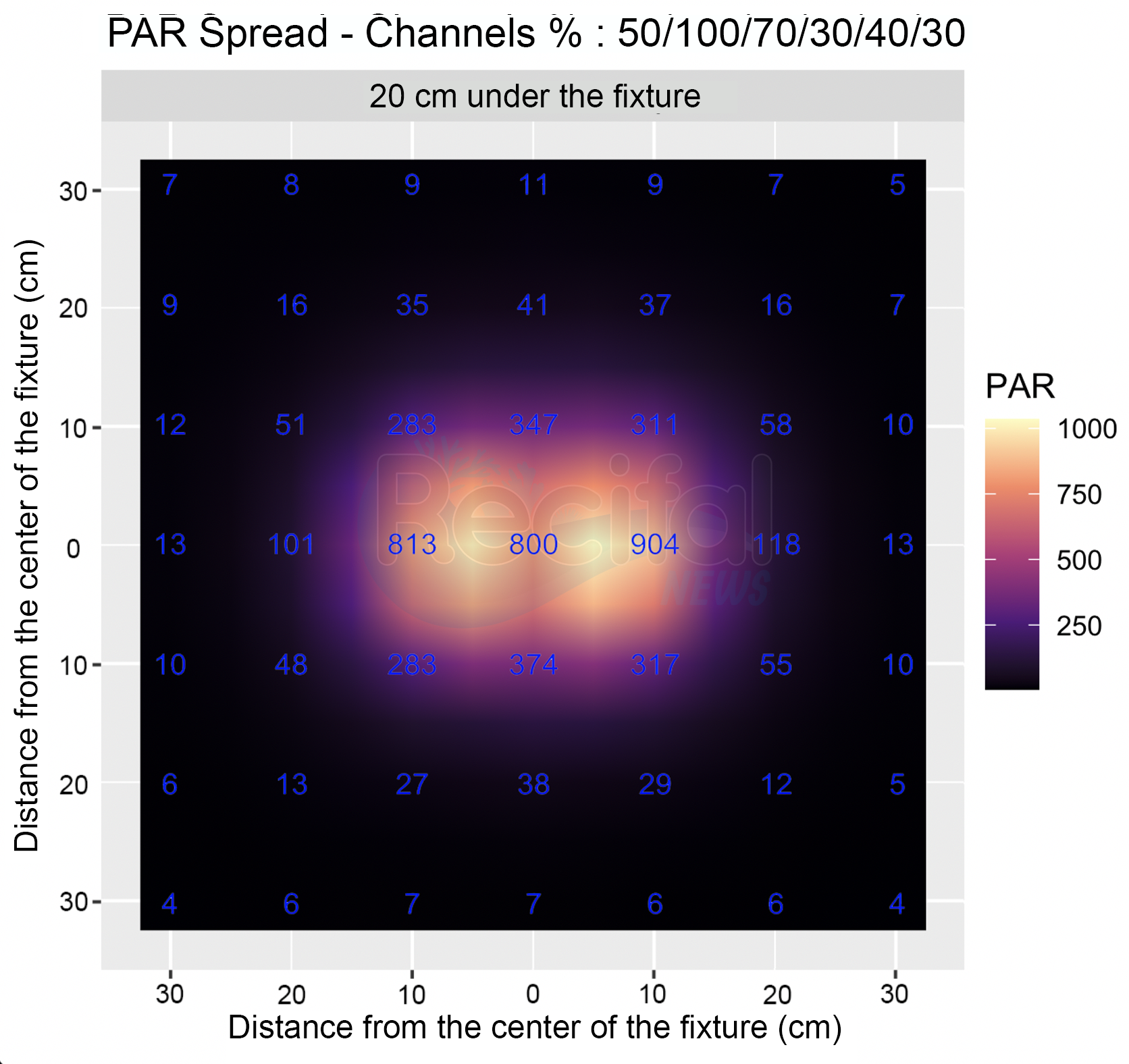
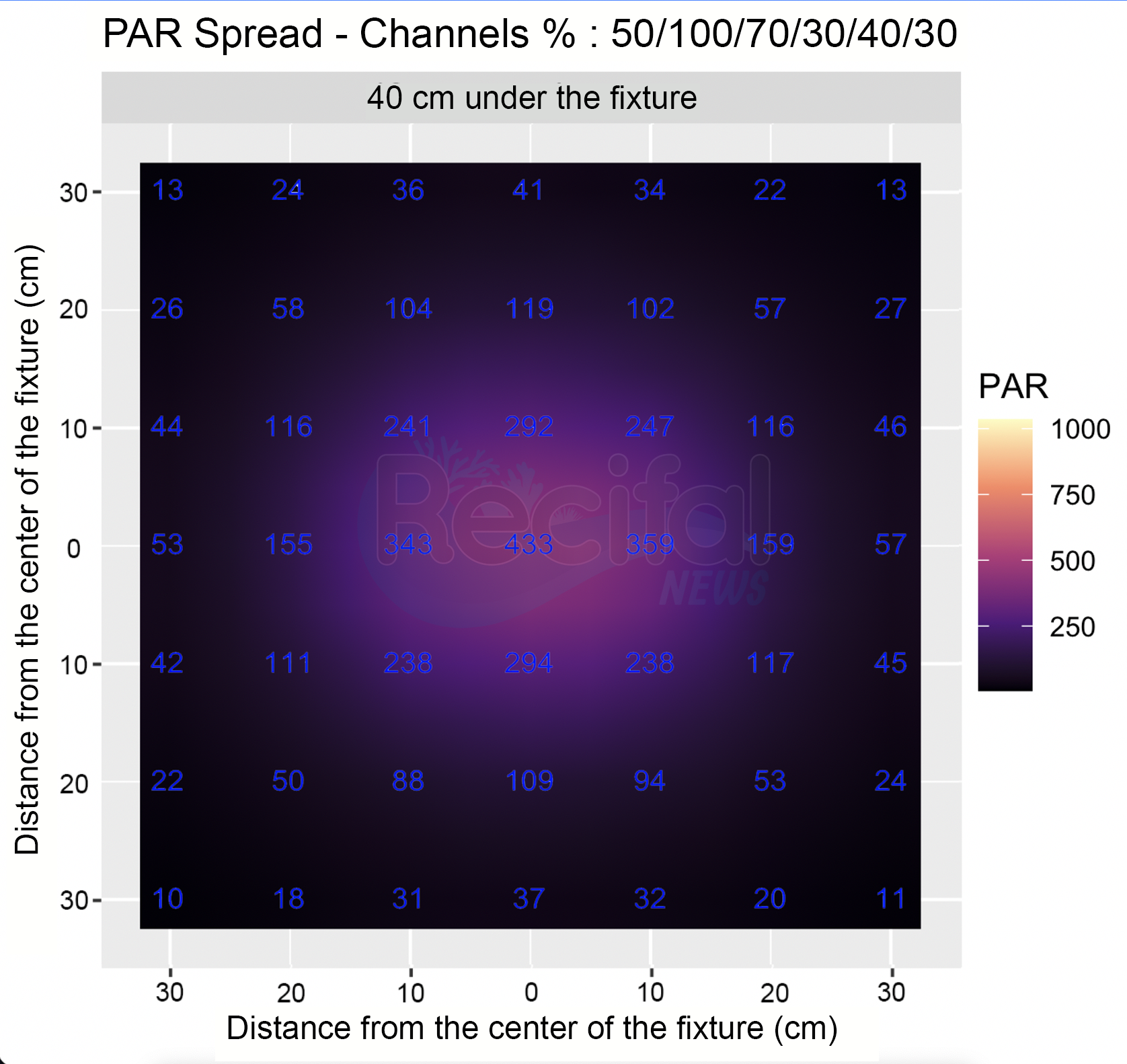
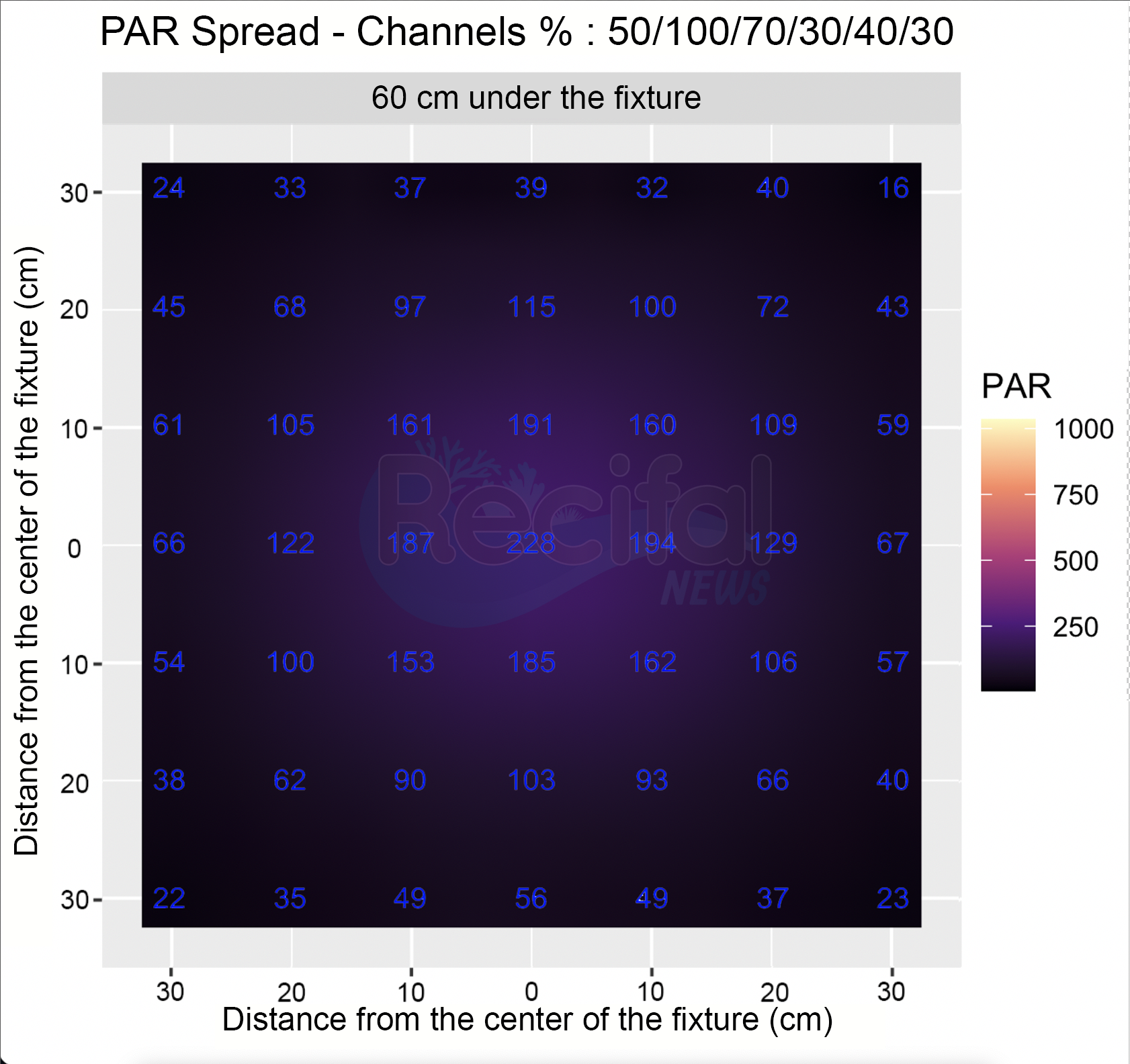
After assessing the light spectrum, we measured intensity of light that is beneficial for coral growth, specifically using PAR (more accurately referred to as PPFD). The intensity is measured in micro-moles of photons per square meter per second (µmol photons/m²/sec).
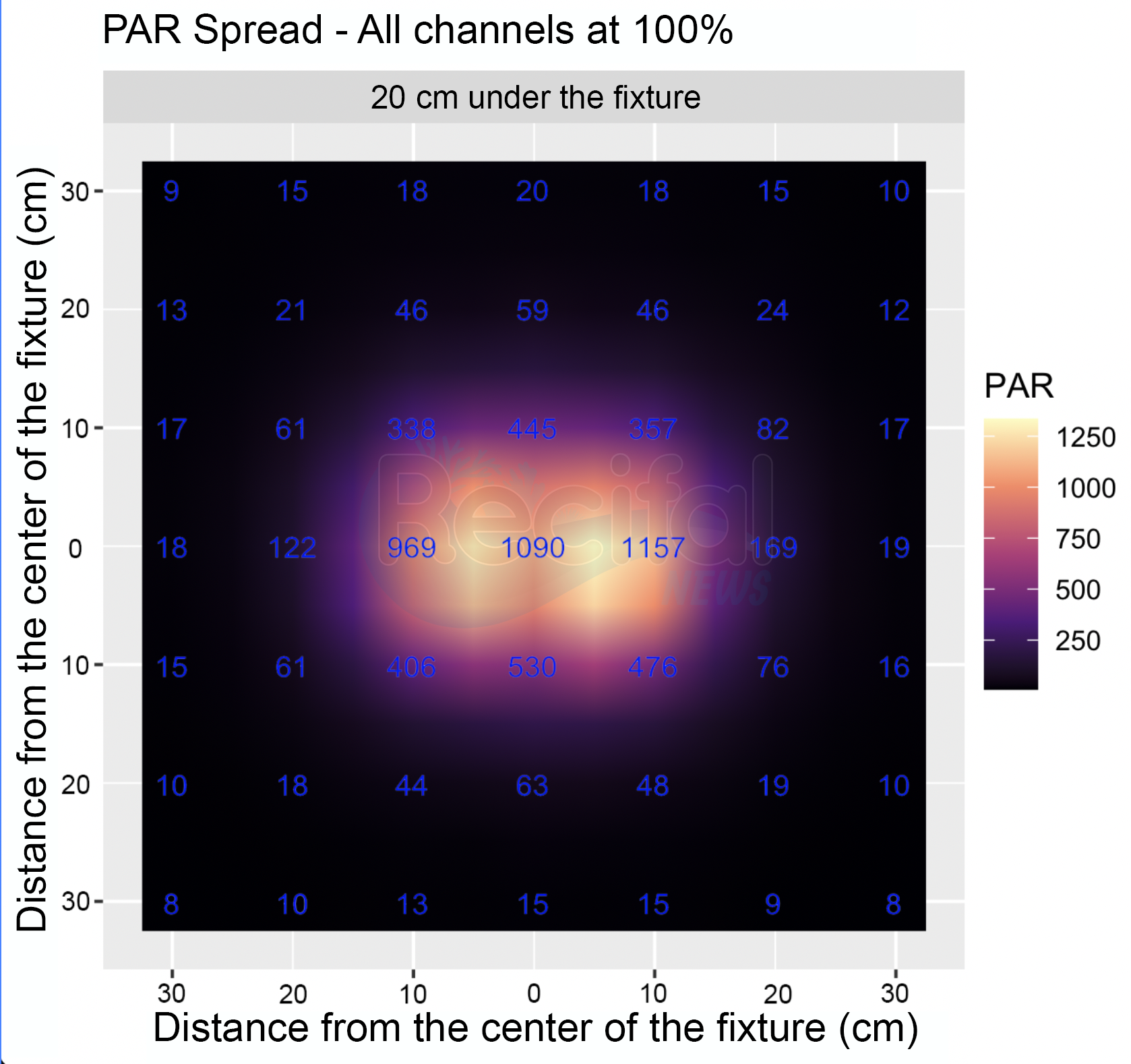
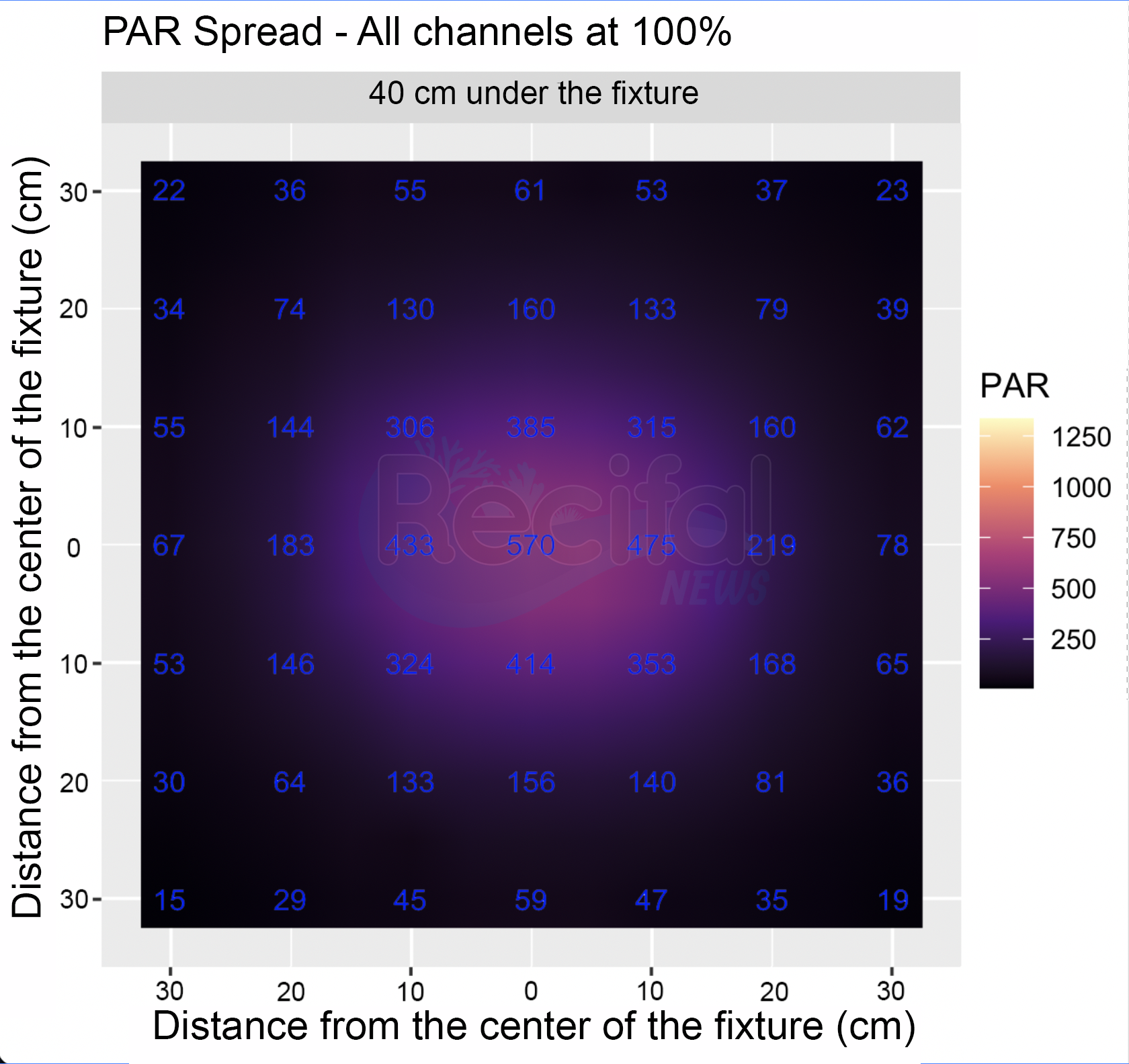
Measurement Conditions: Intensity was recorded with all channels set to 100% power (shown in the first three plots) as well as under a program we typically use for a mixed reef tank (shown in the last three plots).
Depth Measurements: Measurements were conducted at depths of 20, 40, and 60 cm under the fixture.
Measurement Area: An area of 60 x 60 cm was used for the intensity measurements.
Measurement Environment: Measurements were taken in open air, as the light reflection on the water surface can vary significantly depending on water flow.
Results : PAR measurements are shown in the plots below.
At full power :
With our recommended spectrum:
Syna-G Cloud App
The Maxspect MJ-LJ260 is remote controlled thanks to Syna-G Cloud app. After creating an account (only email address and password are needed), you must create a tank in your profile. You will be able to add as many Maxspect devices you have in this tank as you need. Here, select the “L260/L290” button.
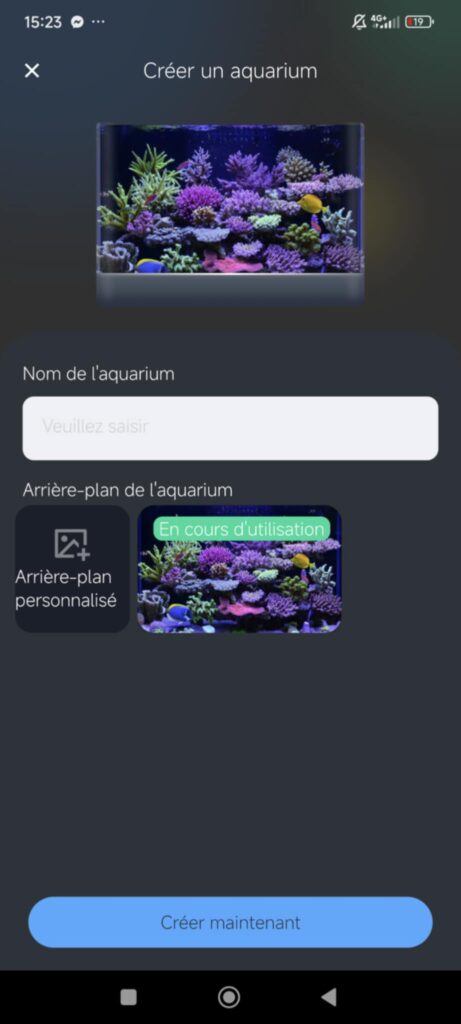
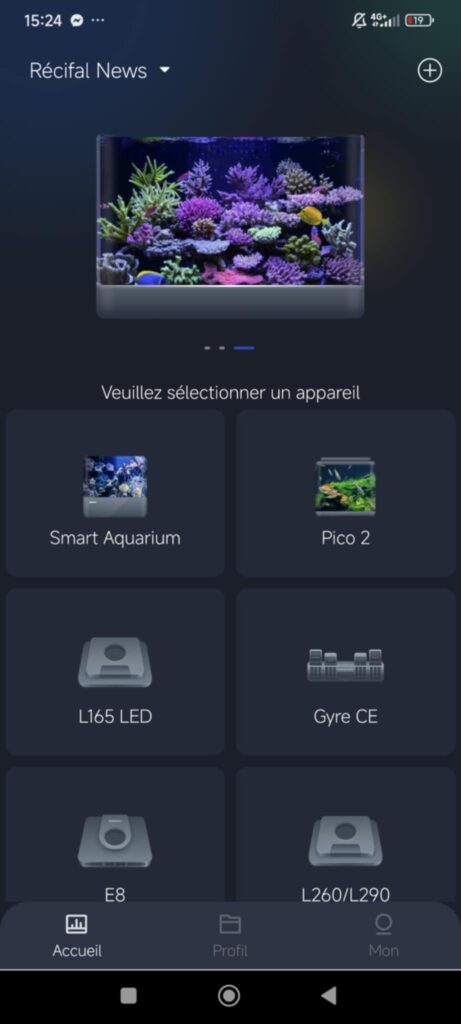
If it is not already the case, you have to switch on Bluetooth and Wifi on your smartphone.
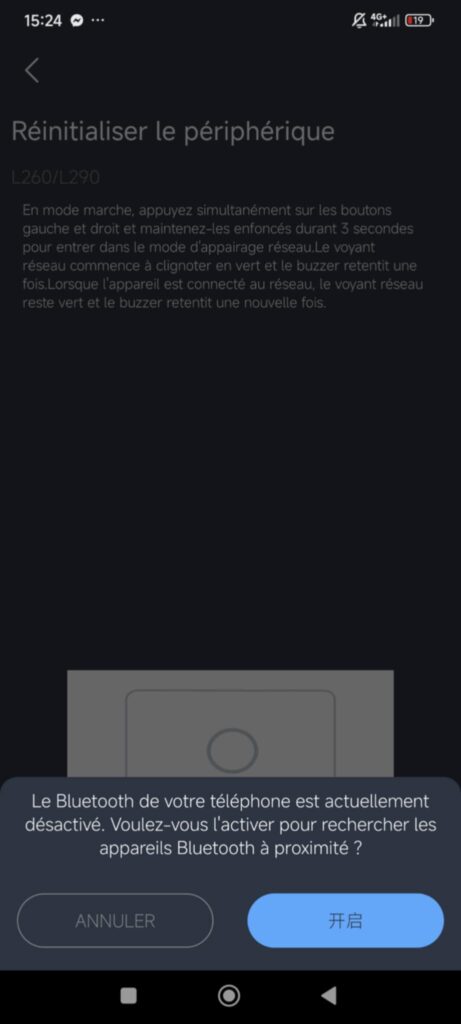
Then if you initialize the LED fixture by clicking simutaneously on “+” and “-“ buttons for 3 seconds. A “Bip” sound indicates that is good and the Wifi indicator blinks in green. The bulb pictogram allows you to recognize the corresponding fixture if you have several in the same room.
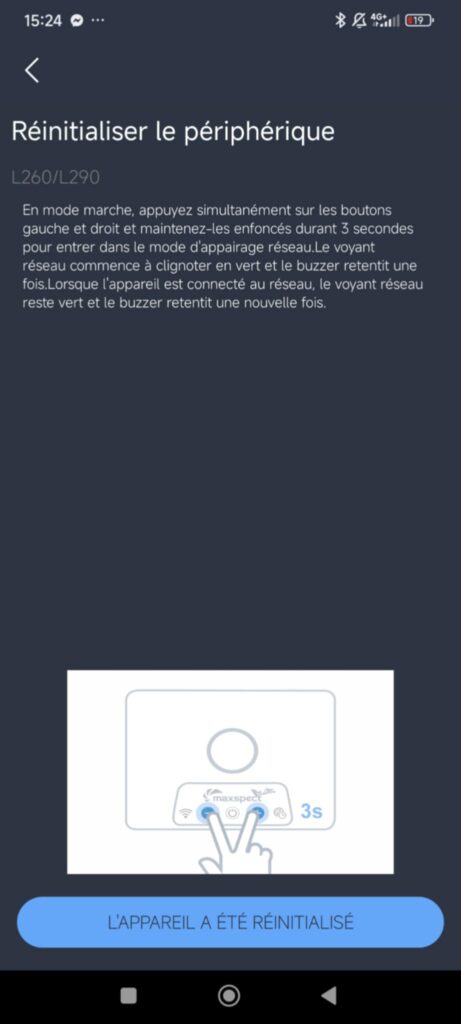
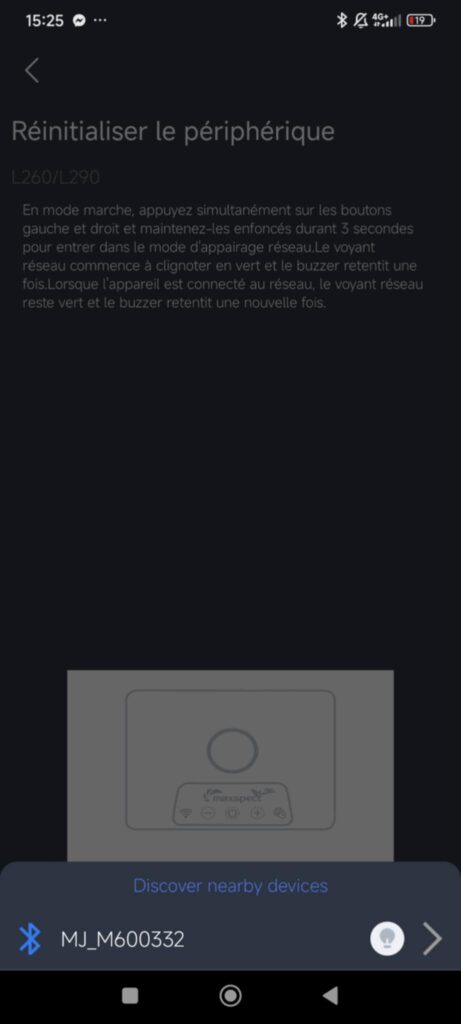
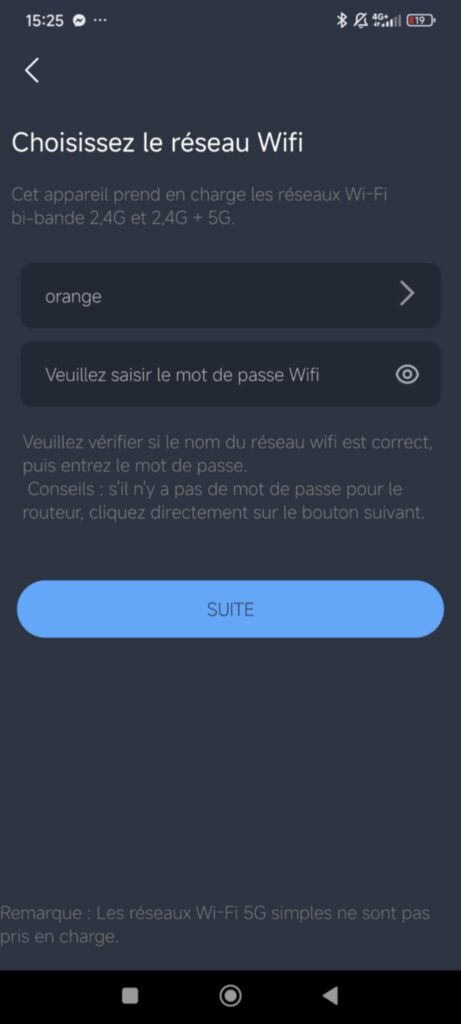
Once connected to the device, you can connect it to your domestic Wifi network. Type the password and it’s done.
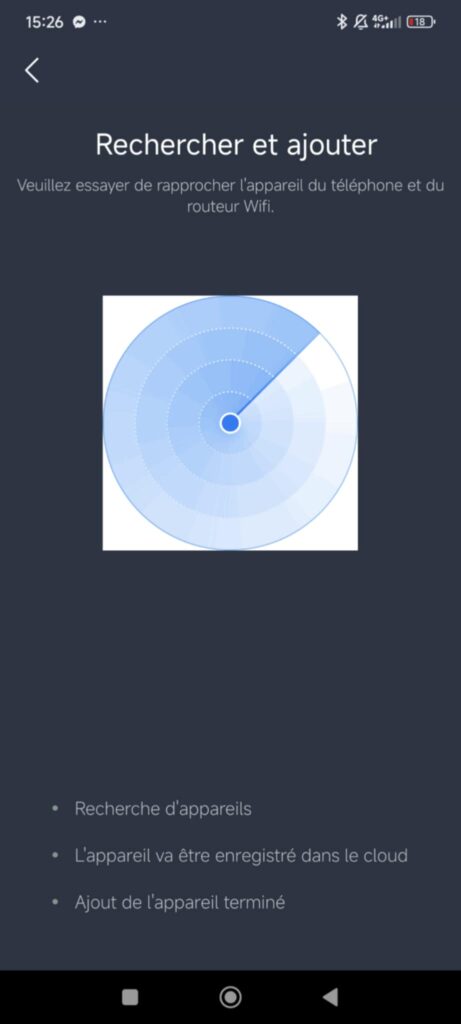
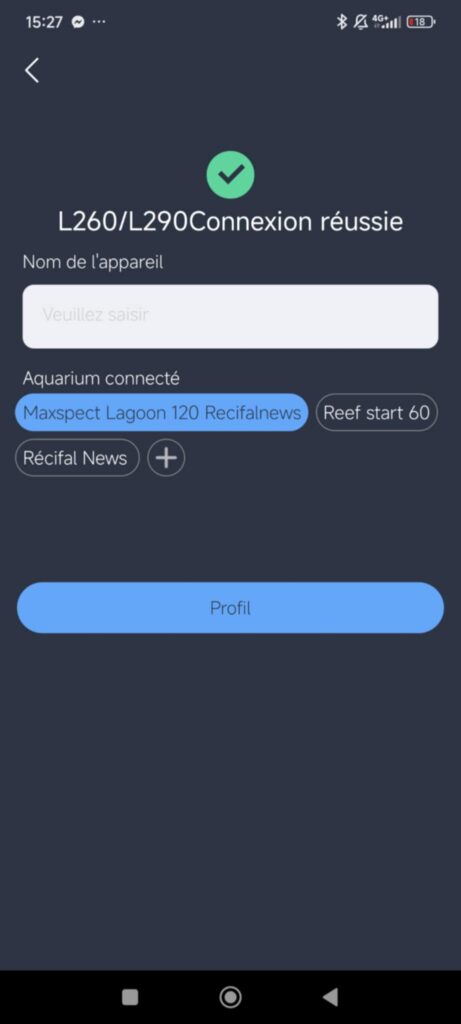
You can add a name to the device you just connected. It is practical when you have several fixtures. Then it appears on the homepage of your tank in your profile. Click on it to control it. The actual power of each channel appears. Again, the bulb pictogram makes it easy to remember which device it is when you have several.
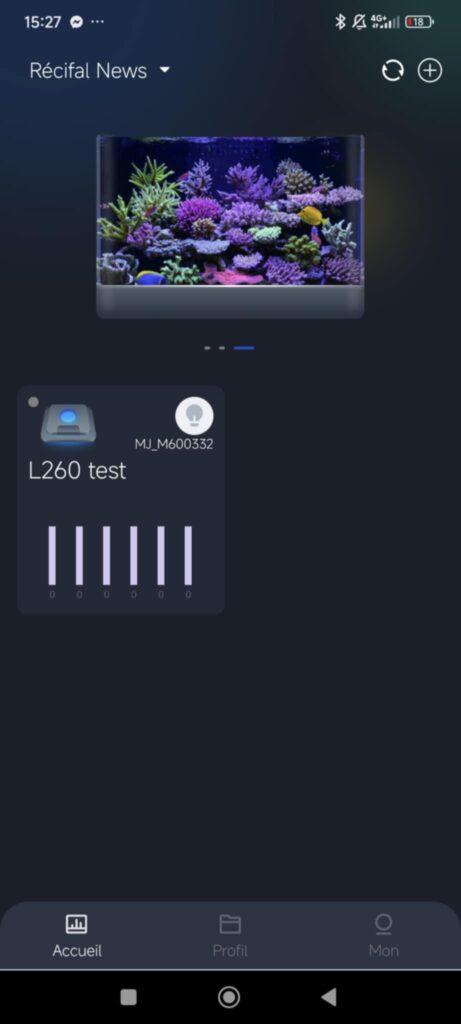
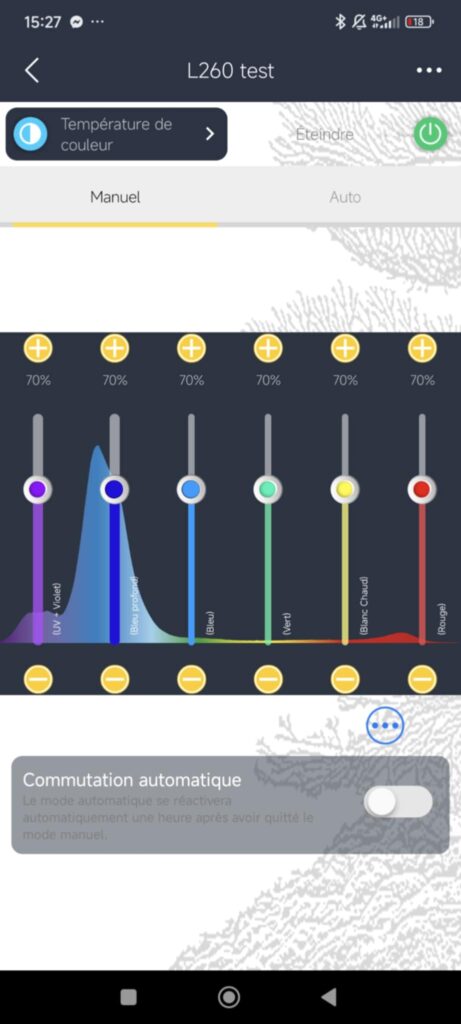
By clicking on the fixture, you land on setup page. We can switch between « manual » mode, giving a direct control on the light, and an « automatic » mode allowing to set up a full daily program with several features.
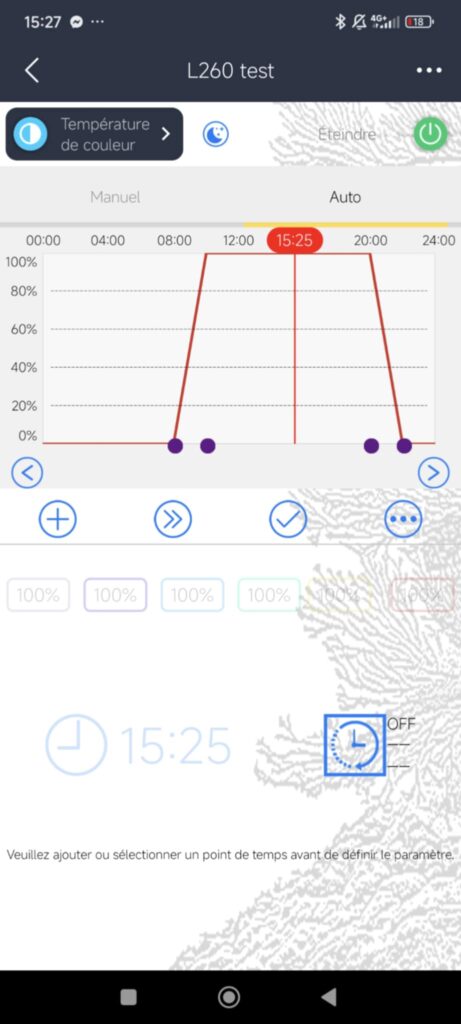
In automatic mode, you can add, delete time points on the daily program, adjust each channel power for all the time period and so on.
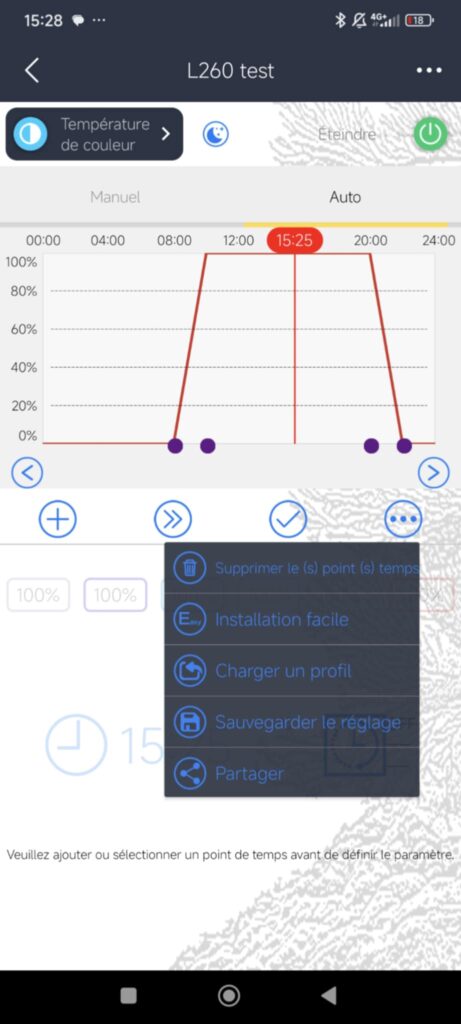
You can also use pre-registered programs, from the brand or that you import.
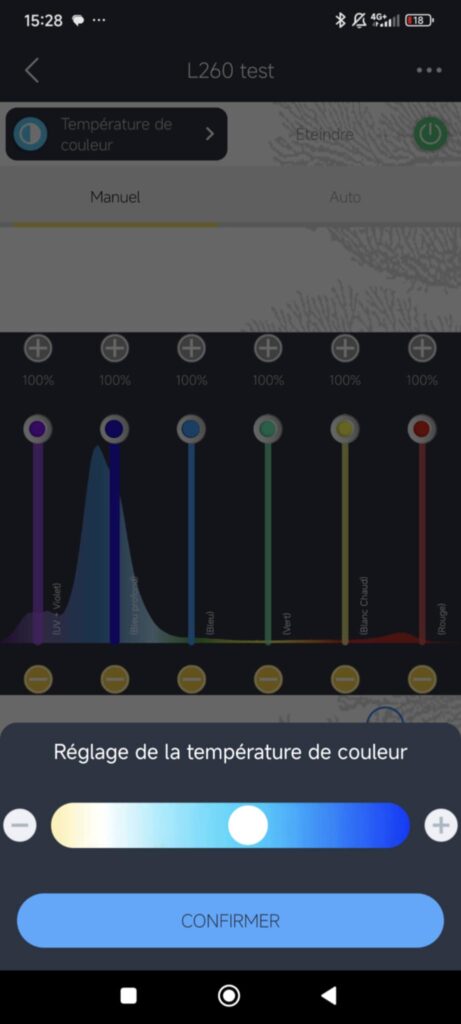
In the top left corner, the « color temp » mode setup automatically the light to have a given more cool or warm color temperature.
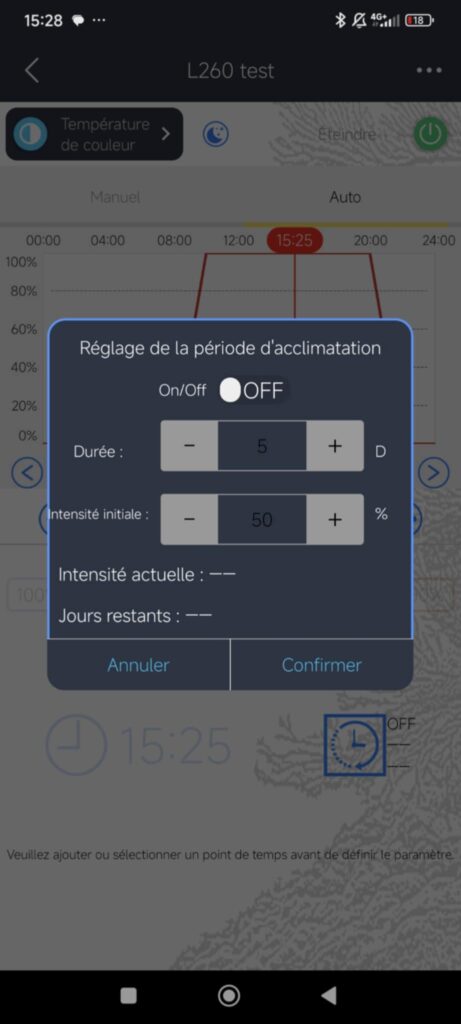
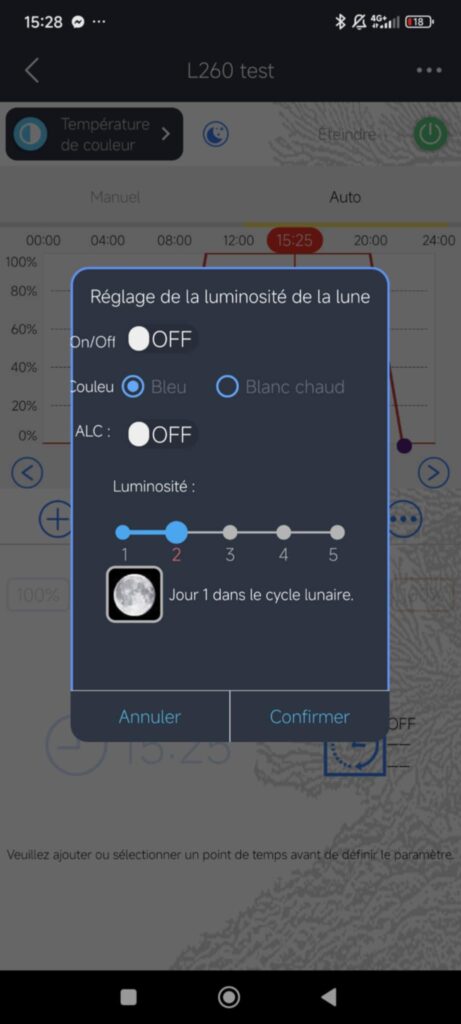
You can also add acclimation period of time chosing its length in days and initial intensity. Other feature : moon light simulation to get closer to nature and reduce stress for fish.
Heatsink
We measured the temperature after 12 hours running :
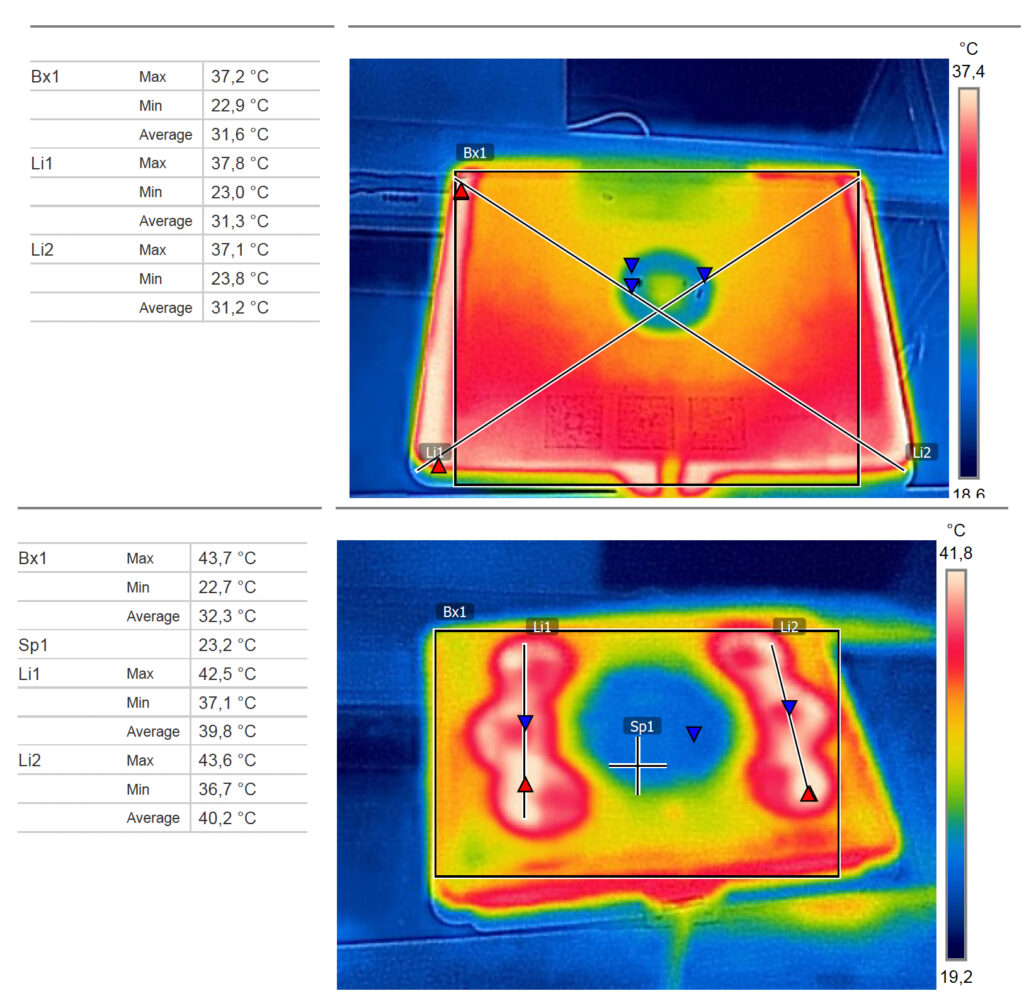
No critical temperature for LEDs has been measured.
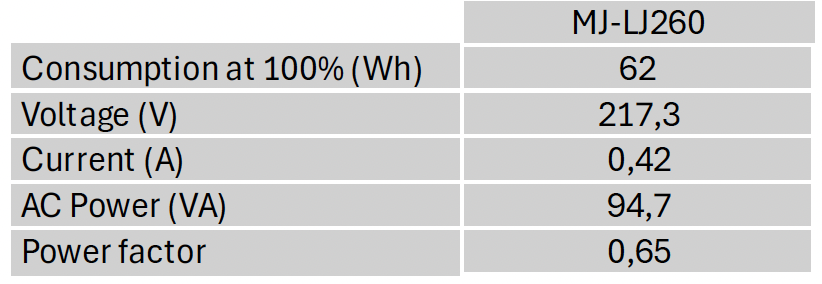
Other technical details
Recifal News Feedback
We enjoy how simple it is to setup with the included mounting arm and to connect with few steps on the app. It corresponds to brand’s promises with high PAR value right under the lamp and enough power for less demanding corals on the recommended surface.
General information
PAR and spectrum measurements were conducted using a spectroradiometer with a range of 190 to 850 nm and a resolution of 0.5 nm. Heatsink measurements were taken with a FLIR thermal camera, and electrical features were evaluated using a power consumption socket.
By Axel, Marine Biology Master – Principles and Management of Marine Ecosystem Functioning – Lille University – Specialization in Photosynthesis, Light, and Phytoplankton.